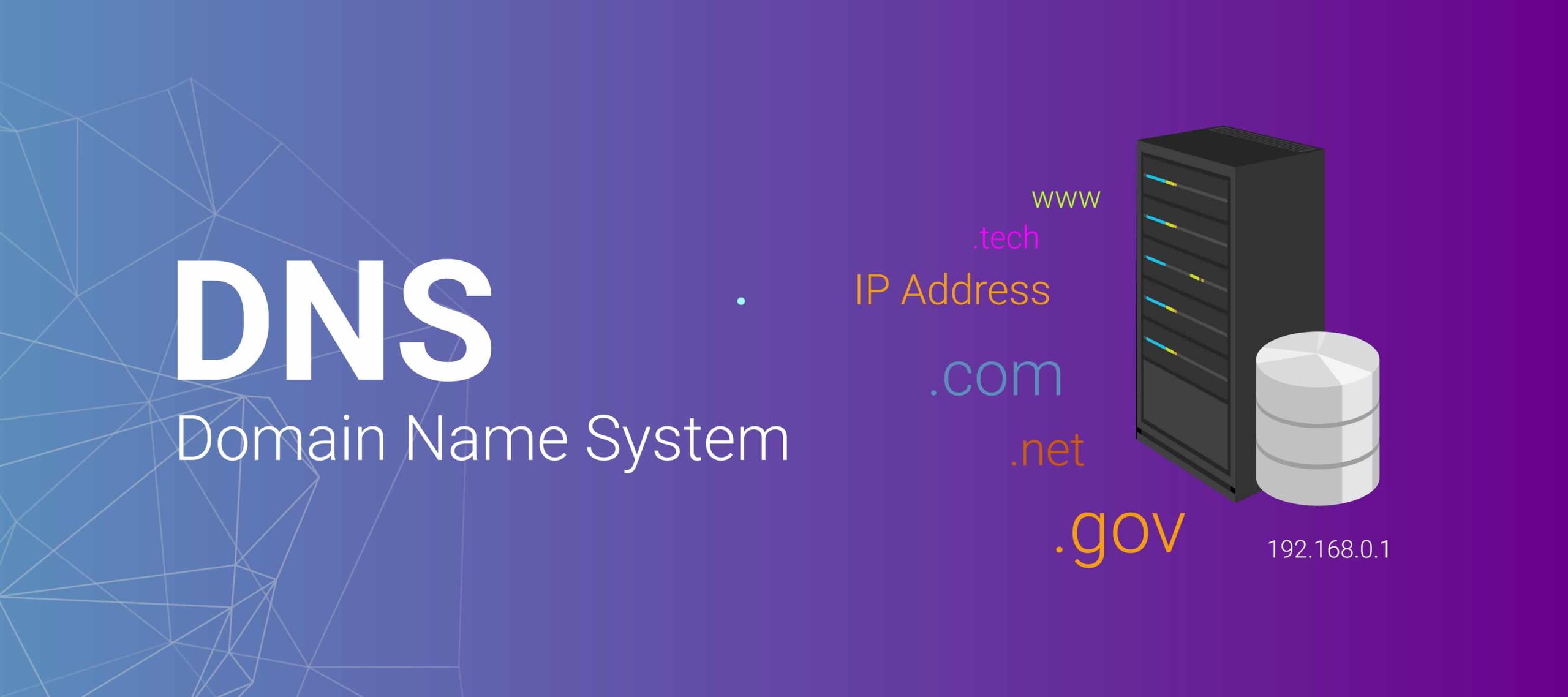
DNS – DOMAIN NAME SYSTEM
The Domain Name System (DNS) is a hierarchical decentralized naming system for computers, services, or other resources connected to the Internet or a private network. It translates user-friendly domain names into the numerical IP addresses needed for locating and identifying computer services and devices with the underlying network protocols.
Here’s a breakdown of how the DNS works:
- Domain Names: Users typically interact with websites using domain names (e.g., www.pondywebhosting.com) instead of IP addresses. These domain names are easier for humans to remember.
- DNS Hierarchy: The DNS operates in a hierarchical structure, organized from right to left in a domain name. The top-level domain (TLD) is on the right (e.g., .com, .org, .net), followed by second-level domains (SLD), subdomains, and so on.
- DNS Servers:
- Root DNS Servers: These servers are at the top of the DNS hierarchy and handle requests for the TLDs. There are 13 sets of root DNS servers worldwide.
- TLD DNS Servers: These servers are responsible for top-level domains (e.g., .com, .org) and direct requests to the authoritative name servers for the specific domain.
- Authoritative DNS Servers: These servers store and provide information about domain names within a specific domain. They are considered the final authority for a particular domain.
- Resolvers: These are the DNS clients that initiate DNS queries. When you type a domain name into your web browser, your computer’s resolver queries the DNS to obtain the corresponding IP address.
- DNS Query Process:
- Your computer’s resolver sends a query to a local DNS server.
- If the local DNS server has the requested information in its cache, it responds directly to the resolver.
- If not, the local DNS server forwards the query to higher-level DNS servers (root, TLD, authoritative) until it reaches the server with the necessary information.
- The response is then sent back down the chain to your computer’s resolver.
- DNS Caching: To improve efficiency, DNS servers and clients cache DNS information for a specific time (TTL – Time to Live). Cached information is reused for subsequent requests during the TTL period, reducing the need to repeatedly query authoritative servers.
TYPES OF DNS RECORDS
A Record
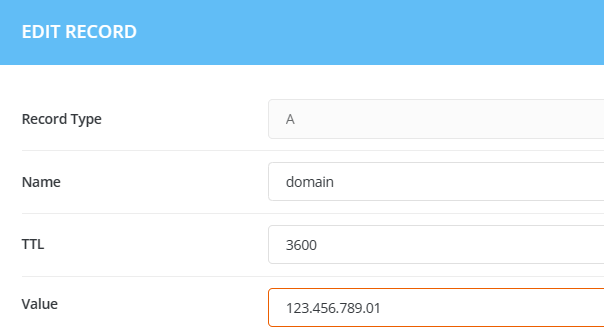
In DNS, an “A Record” (Address Record) is a type of DNS record used to map a domain name to the corresponding IPv4 address of the server hosting the domain. It is one of the fundamental DNS record types and is essential for translating human-readable domain names into machine-readable IP addresses.
Here’s a brief explanation of how an A Record works:
- Domain Name: You have a domain name (e.g., www.example.com).
- DNS Lookup: When someone tries to access your website, their computer needs to know the IP address associated with the domain. It performs a DNS lookup to find this information.
- A Record Response: The DNS server responds with the A Record, providing the IPv4 address associated with the domain.
- Connection: The user’s device can then connect to the web server using the obtained IP address.
Here’s an example of what an A Record might look like in DNS zone file syntax:
CNAME Record
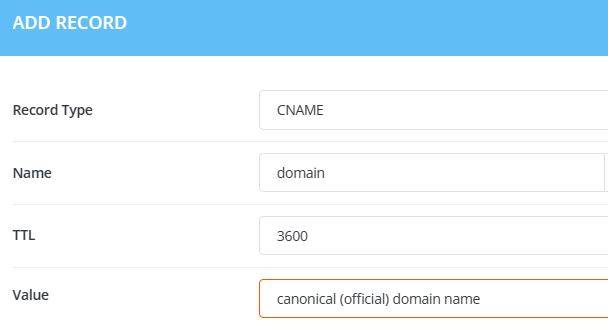
A CNAME record, or Canonical Name record, is another type of DNS record used in the Domain Name System. Unlike an A Record, which maps a domain to an IP address, a CNAME record is used to alias one domain name to another. This is often helpful when you want multiple domain names to resolve to the same location.
Here’s how a CNAME record works:
- Alias Definition: You have a primary domain (e.g., www.example.com) that you want to alias to another domain (e.g., server.example.net).
- DNS Lookup: When someone tries to access the aliased domain (www.example.com), their computer performs a DNS lookup.
- CNAME Record Response: The DNS server responds with the CNAME record, indicating the canonical (official) domain name to which the alias should point.
- Resolution: The user’s device then performs another DNS lookup for the canonical domain, and the process continues until an IP address is obtained.
Here’s an example of what a CNAME record might look like in DNS zone file syntax:
NS Record
An NS record, or Name Server record, is a type of DNS (Domain Name System) record that specifies which authoritative name servers are responsible for a domain. These authoritative name servers store information about the domain and are used to resolve queries, translating human-readable domain names into IP addresses.
Here’s how NS records work:
- Delegation: When you register a domain (e.g., example.com), you typically need to specify the authoritative name servers for that domain. This is done through NS records.
- DNS Lookup: When someone requests the IP address associated with a domain (e.g., www.example.com), their computer queries the DNS system.
- NS Record Response: The DNS system responds with the NS records for the queried domain. These NS records indicate which name servers are authoritative for the domain.
- Further Queries: The querying device then contacts one of the authoritative name servers listed in the NS records to obtain more specific information about the domain, such as A (Address) records or other types of records.
Here’s an example of what an NS record might look like in DNS zone file syntax:

MX Record
MX (Mail Exchange) record is a type of DNS (Domain Name System) record used to specify the mail servers responsible for receiving emails on behalf of a domain. MX records play a crucial role in email delivery, directing messages to the correct mail servers associated with the recipient’s domain.
Here’s how MX records work:
- Domain Configuration: The domain owner or administrator configures MX records for their domain through their DNS settings.
- DNS Lookup: When someone sends an email to an address associated with a particular domain (e.g., user@example.com), the sending mail server performs a DNS lookup to find the MX records for the recipient’s domain (example.com).
- MX Record Response: The DNS system responds with the MX records, which specify the mail servers designated to handle incoming emails for the domain.
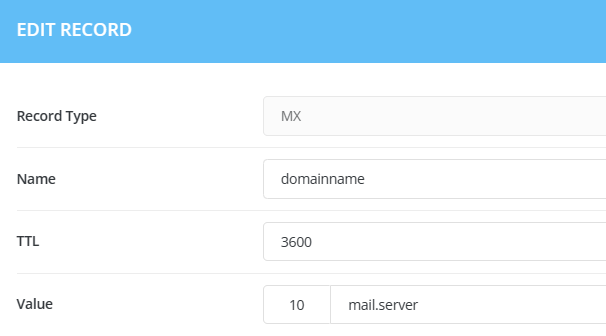
- Email Routing: The sending mail server then routes the email to one of the specified mail servers based on the priority values assigned to each MX record. Lower priority values indicate higher priority, and emails are generally routed to the mail servers with the lowest priority first. If those are unavailable, the next highest priority mail servers are used.
Here’s an example of what an MX record might look like in DNS zone file syntax:
TXT Record
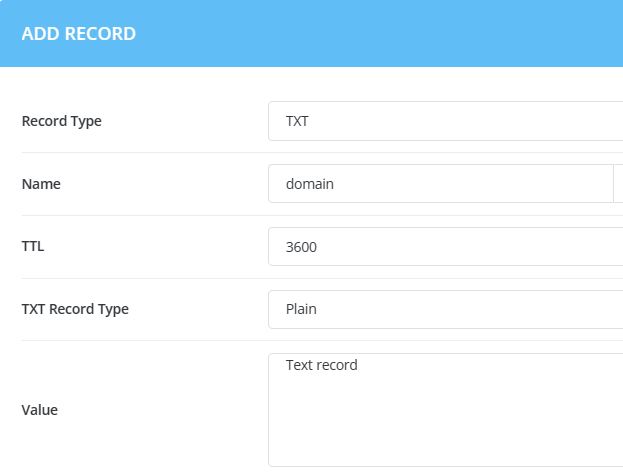
A TXT (Text) record is a type of DNS (Domain Name System) record that is used to store arbitrary text data associated with a domain. TXT records have various use cases, and they are often used to provide additional information about a domain, such as SPF (Sender Policy Framework) records for email authentication, DKIM (DomainKeys Identified Mail) public keys, domain ownership verification, and more.
Here’s a general overview of how TXT records work:
- Text Data: The domain owner or administrator adds a TXT record to their domain’s DNS configuration, providing specific text data associated with the domain.
- DNS Lookup: When someone queries the DNS for information about the domain, the DNS system responds with the TXT records, if any are present.
- Text Information Retrieval: The text information in the TXT records can be used for various purposes, depending on how the records are configured. For example, it might include authentication information, verification tokens, or other metadata.
Here’s an example of what a TXT record might look like in DNS zone file syntax:
PTR Record
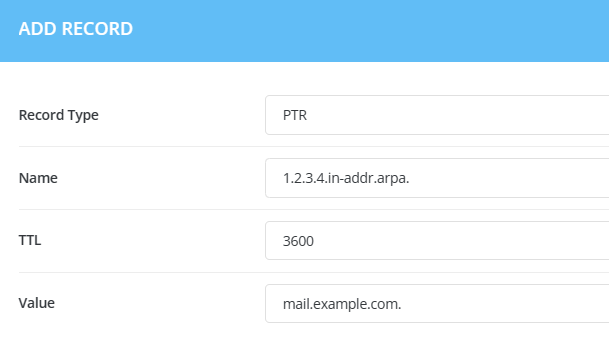
A PTR (Pointer) record is a type of DNS (Domain Name System) record that is used to map an IP address to a domain name. Unlike most DNS records that are used to translate domain names to IP addresses, PTR records perform the reverse lookup, associating an IP address with a domain name.
PTR records are commonly used in reverse DNS lookups, where you provide an IP address, and the DNS system returns the associated domain name. These records are often used for various purposes, including network troubleshooting, security checks, and verifying the legitimacy of email servers.
Here’s a general overview of how PTR records work:
- Configuration: The owner of the IP address space (usually the Internet Service Provider or network administrator) is responsible for creating PTR records in the reverse DNS zone corresponding to the IP address range.
- DNS Lookup: When someone performs a reverse DNS lookup by providing an IP address, the DNS system checks for a corresponding PTR record.
- PTR Record Response: If a PTR record is configured for the given IP address, the DNS system responds with the associated domain name.
Here’s an example of what a PTR record might look like in DNS zone file syntax:
DNS (Domain Name System) plays a crucial role in hosting websites and other online services. It is essentially a system that translates human-readable domain names (like www.example.com) into IP addresses that computers use to identify each other on a network. Here’s how it is involved in hosting:
- Domain Registration:
- To host a website, you first need to register a domain name through a domain registrar. This involves choosing a unique domain name and paying a registration fee.
- DNS Hosting:
- Once you have a registered domain, you need to set up DNS hosting. DNS hosting is a service provided by DNS servers that manage the DNS records for your domain. These records include information like IP addresses, mail server details, and more.
- DNS Records:
- DNS records are configurations that specify how the domain should function. Common DNS records include:
- A (Address) Record: Maps a domain to an IPv4 address.
- AAAA (IPv6 Address) Record: Maps a domain to an IPv6 address.
- CNAME (Canonical Name) Record: Alias of one domain to another.
- MX (Mail Exchange) Record: Specifies mail servers for the domain.
- TXT (Text) Record: Holds text information, often used for verification purposes.
- NS (Name Server) Record: Indicates authoritative DNS servers for the domain.
- DNS records are configurations that specify how the domain should function. Common DNS records include:
Domain Name System (DNS) is a fundamental and critical component of the internet infrastructure. It serves as a distributed and hierarchical system that translates human-readable domain names into IP addresses, facilitating the seamless communication between devices on the internet.
Understanding DNS is essential for anyone involved in managing networks, websites, or internet services. It plays a pivotal role in ensuring the reliability, accessibility, and security of online communication. As the internet continues to evolve, DNS remains a foundational technology that enables the interconnected nature of the digital world.